
Support | Ochatbot
Engagement Question
The Engagement Question is the first thing your users will see when your Ochatbot triggers. Let’s dive in and explore!
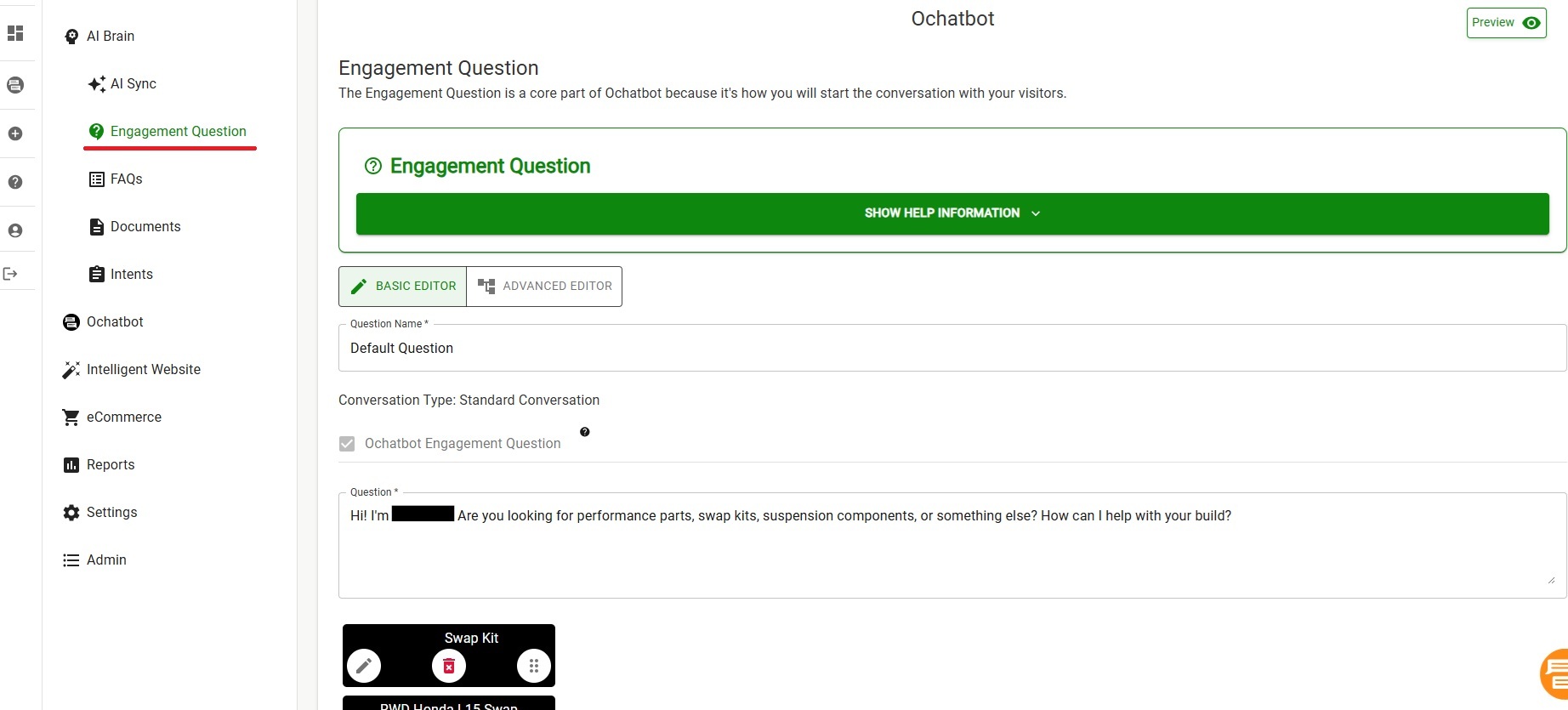
There are many different ways to approach building this but the main goal is to quickly help a large portion of your users right away. You can ask a more open-ended question to start off the conversation (“Hi, how can I help you?”) or a more pointed one (“Are you a wholesaler or retailer?”). You can add as many button options as you like but we recommend not more than 7 or 8 buttons.
Building the Engagement Question is easy with the Visual Bot Builder. You can visualize the different paths or branches of the button options.
Let’s explore how to build an engagement tree step-by-step:
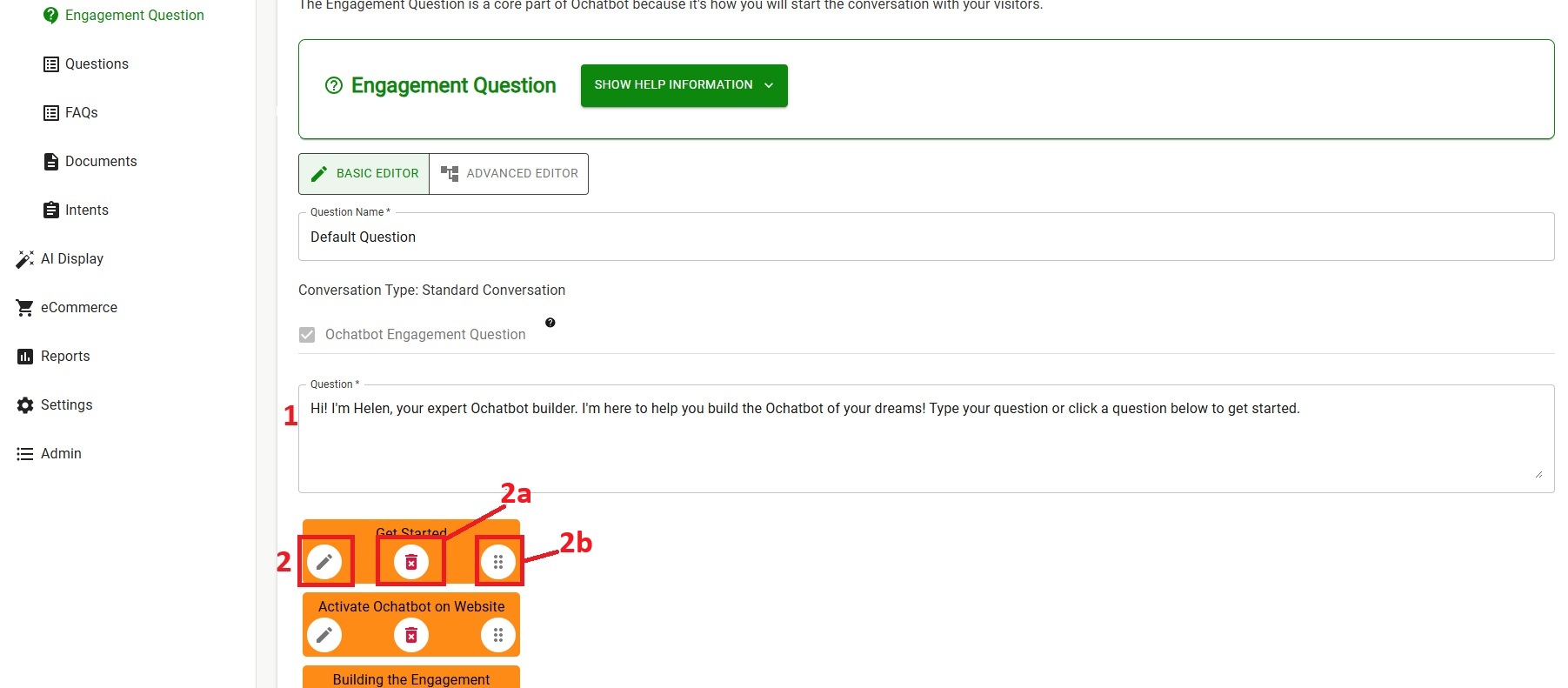
- Question: This is the initial response the Ochatbot will give to a new user. During setup, Ochatbot’s AI crafted a relevant starter question for you, but you can edit that here.
- To customize buttons, click the pen icon to open the editor. Here, you will be able to edit the text for your button as well as choose from five desired actions (check the next section to see how to edit a button).
- Use the red trashcan to delete a button
- The six dots allow you to move buttons around.
How to Edit a Button
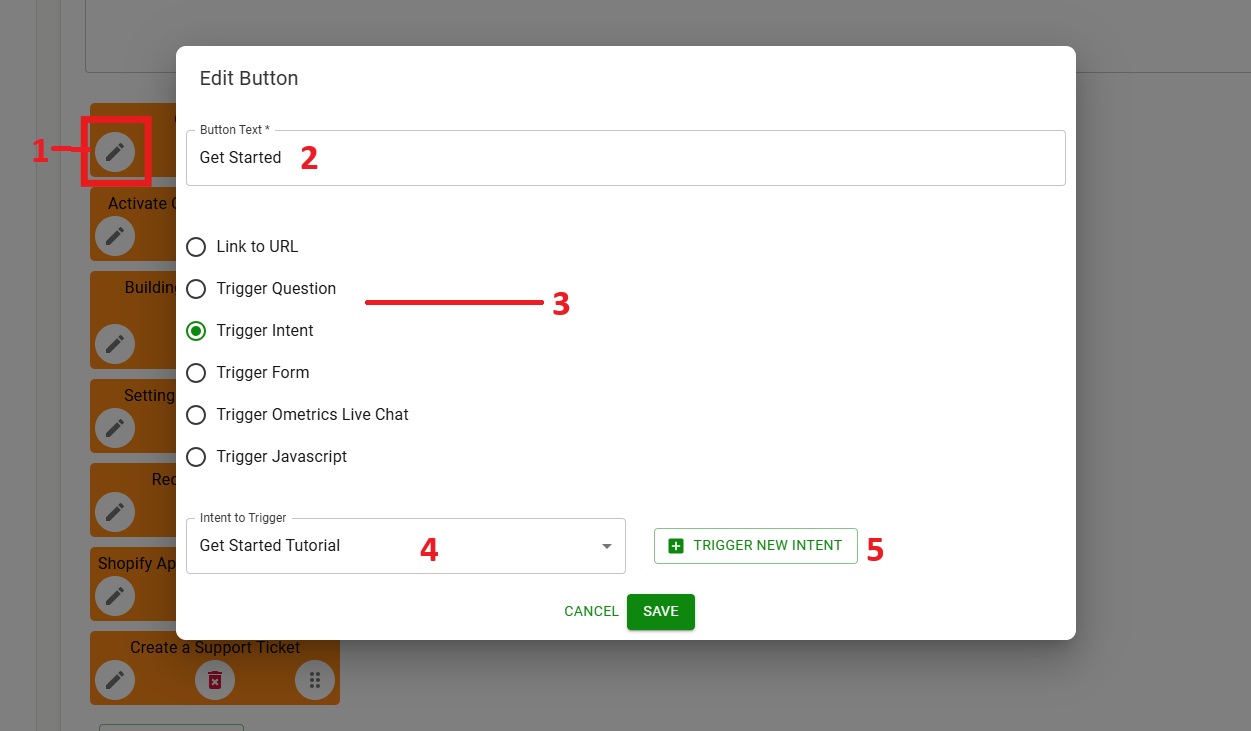
- Click the pencil icon to open the popup
- Change/modify the button text
- There are six actions a button can perform:
- Link to URL: Link the button to a webpage.
- Trigger Question: Link the button to an existing question.
- Trigger Intent: Link the button to an existing intent.
- Trigger Form: Link to a contact or survey form.
- Trigger Ometrics Live Chat: Use the Live Chat code to link to Ometrics Live Chat
- Trigger Javascript: You can paste your own custom javascript here.
We Are Here to Help
Here are the different ways you can contact support:
- When logged in, click the "Contact Support" button. Your information will be autopopulated so just type in your question or comment.
- To create a ticket when not logged in email: [email protected]
- Call us during business hours: 8 a.m.-5 p.m. MST 800-700-8077.
- If outside the US: send an email to [email protected] and we will set up a meeting over Zoom.